Try the app and make a cup of coffee.
The app is best on a phone. No physical interaction props? Both features still run without them and still show clear core illustrations.
View Prototype
The concept
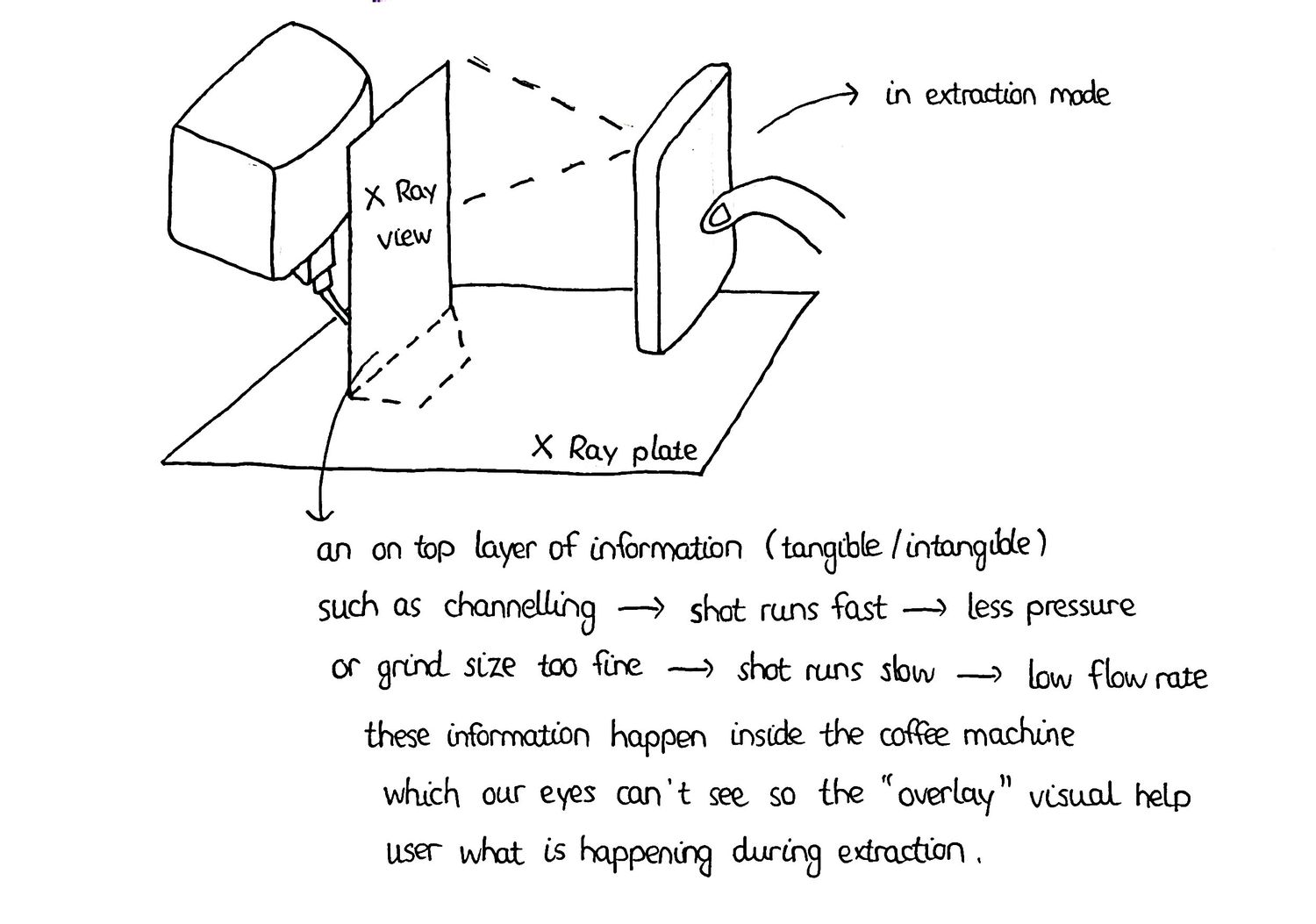
Most people learn coffee the hard way: make a cup of coffee, taste it, and guess what went wrong. Common Ground turns that guesswork into visualised practice you can see. The concept utilises simple physical objects to show what normally stays invisible in coffee making, from water moving through the coffee to the movement of a milk jug. Every practice is given with suggestions and clear explanations of what you should do next time, so each cup can be a little better than the last.
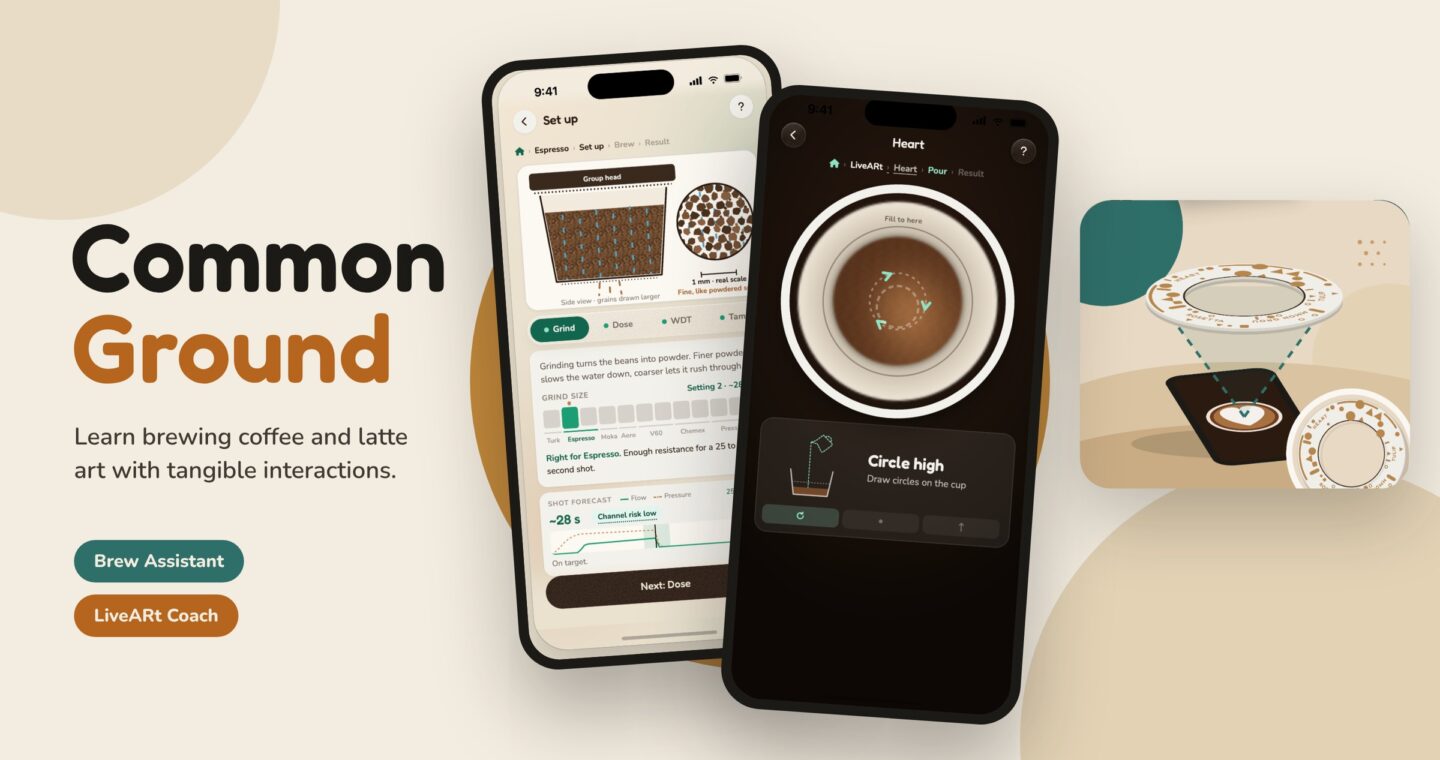
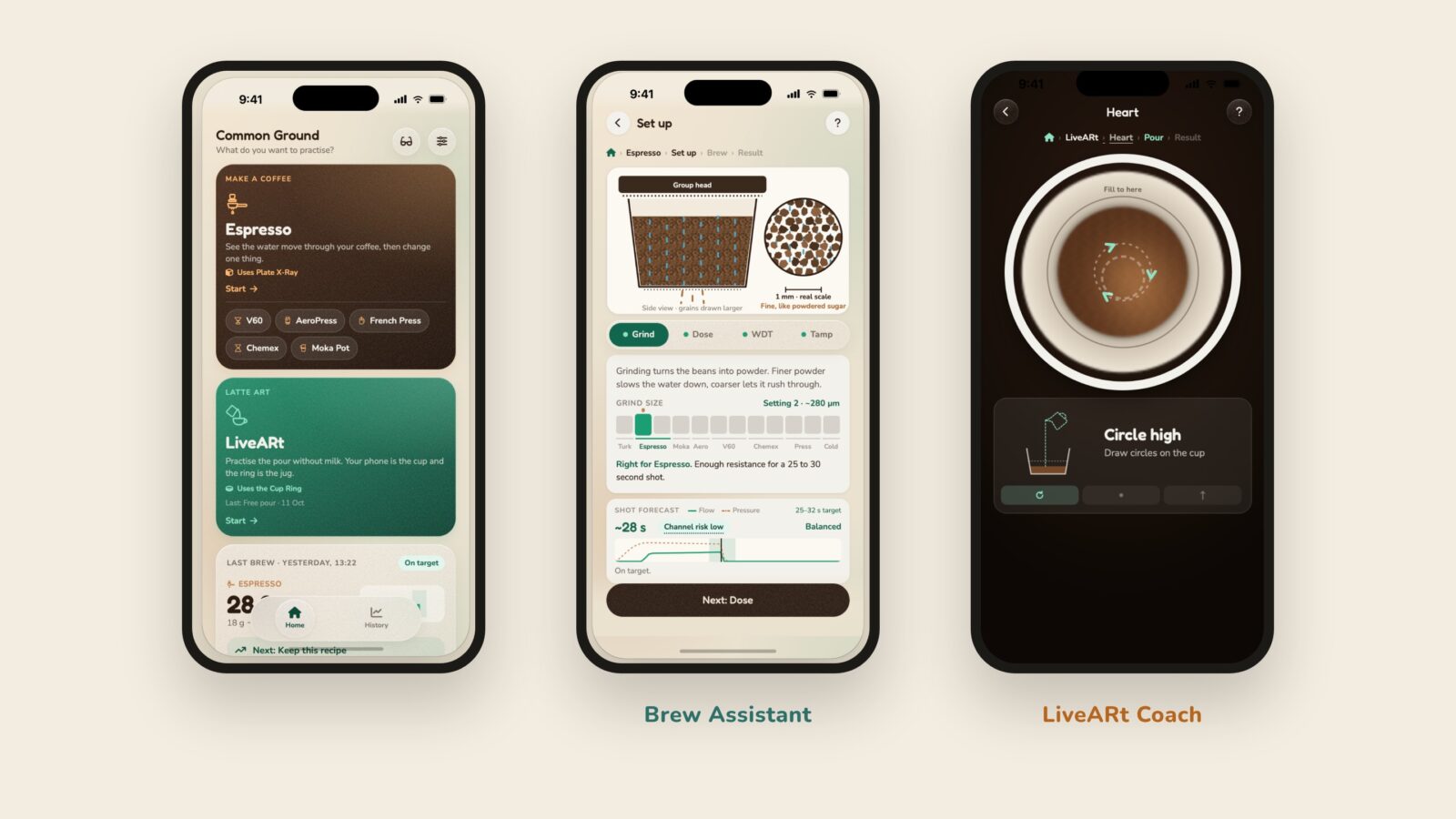
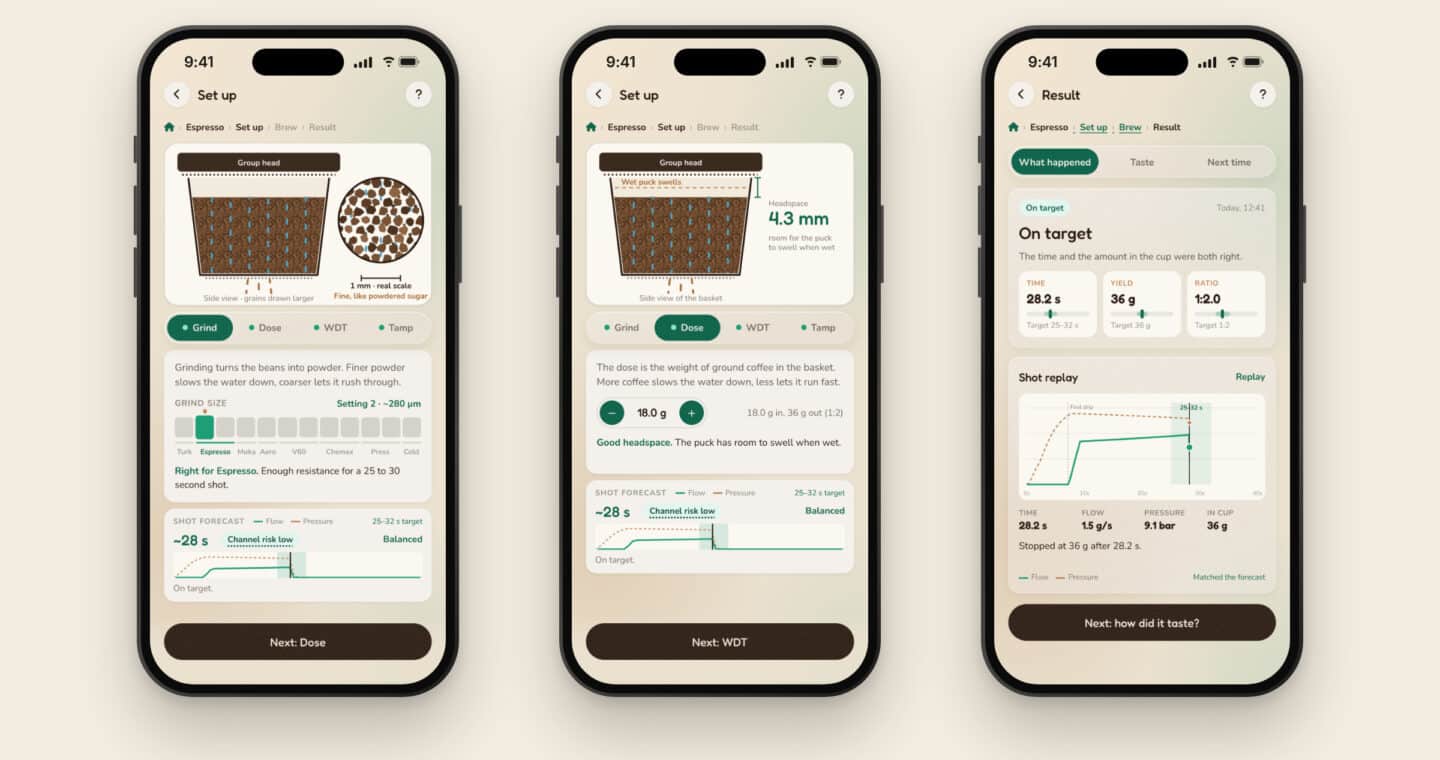
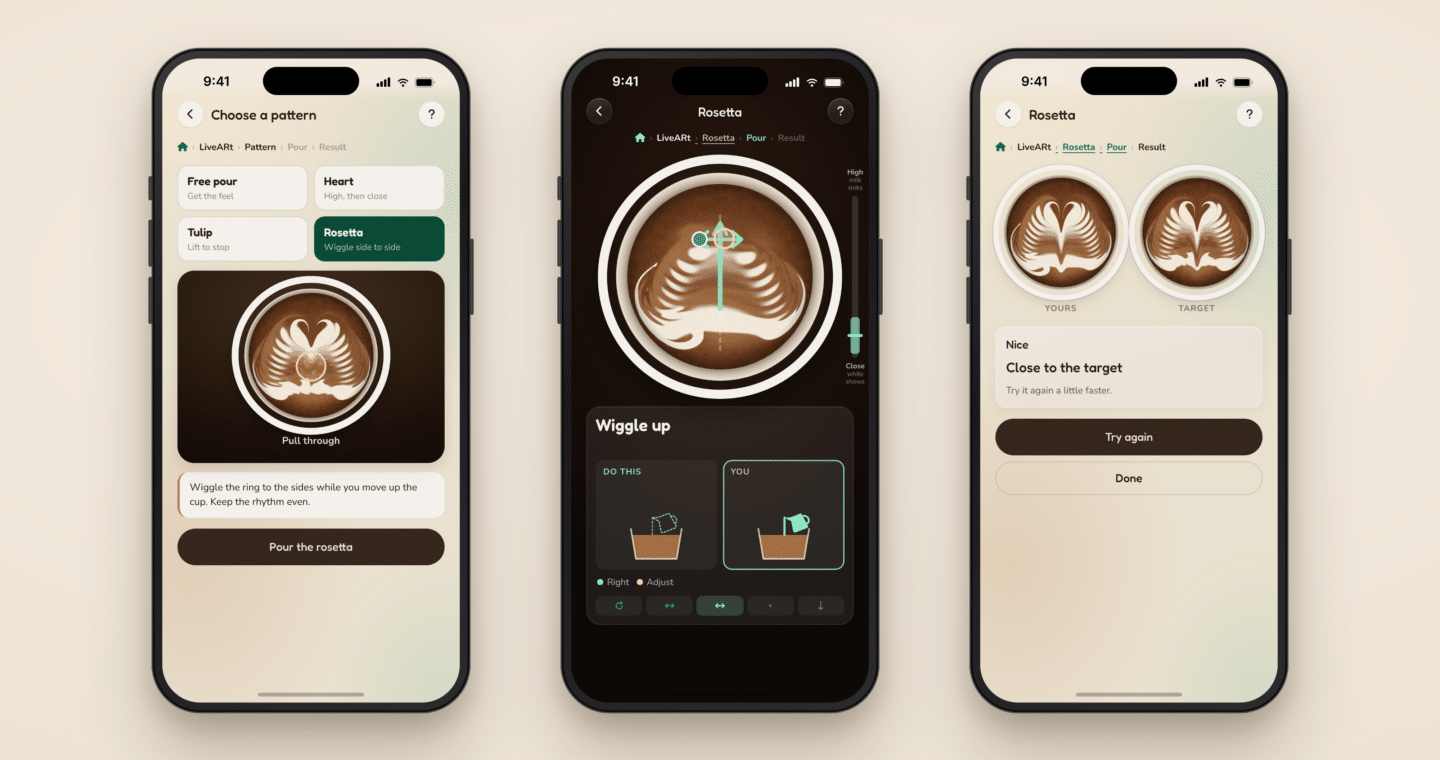
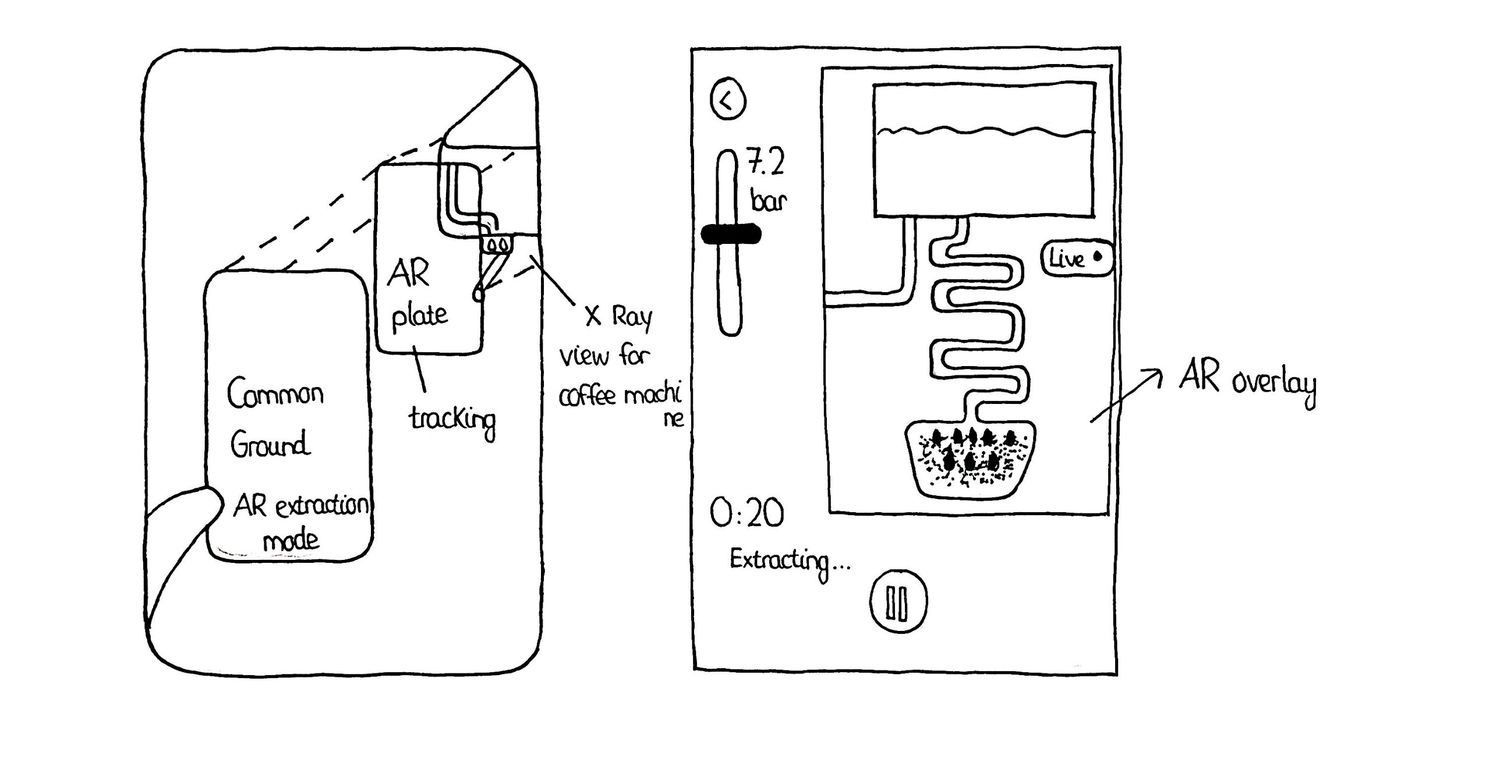
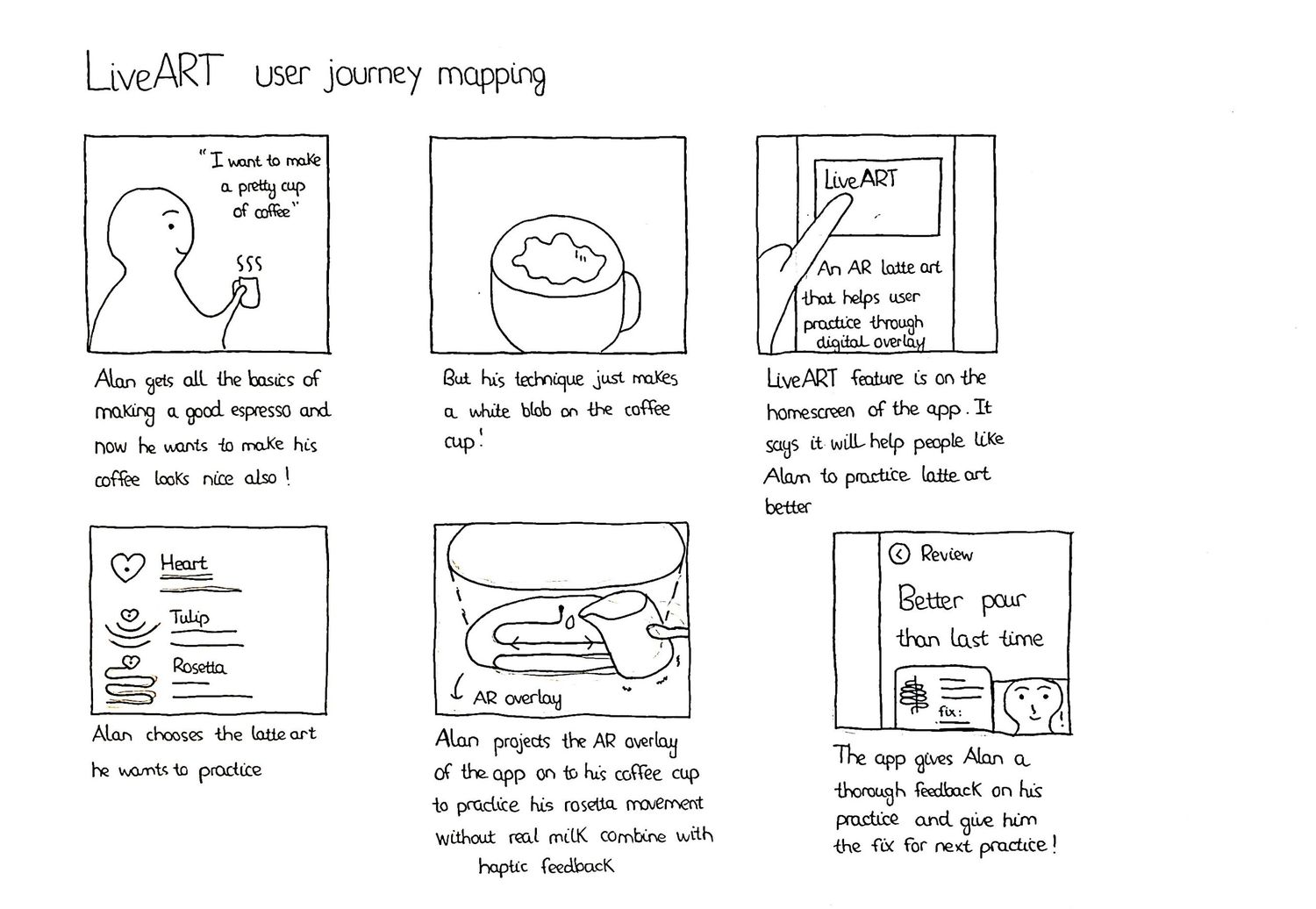
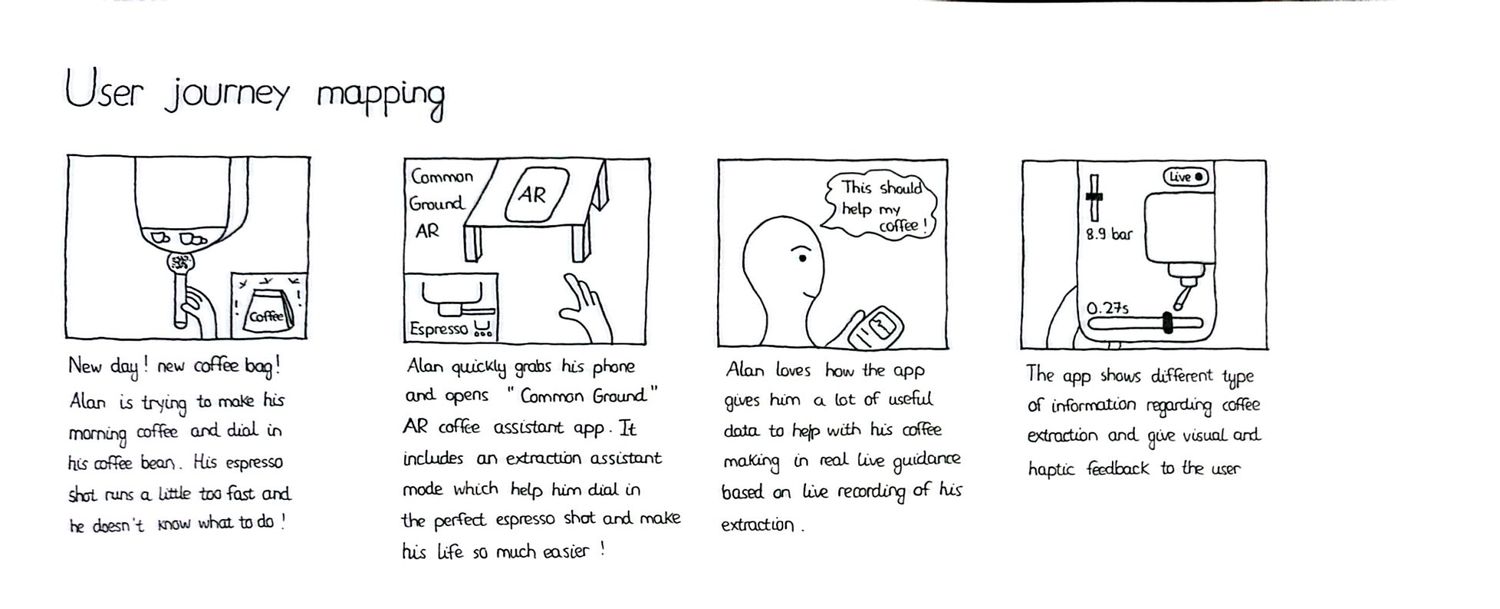
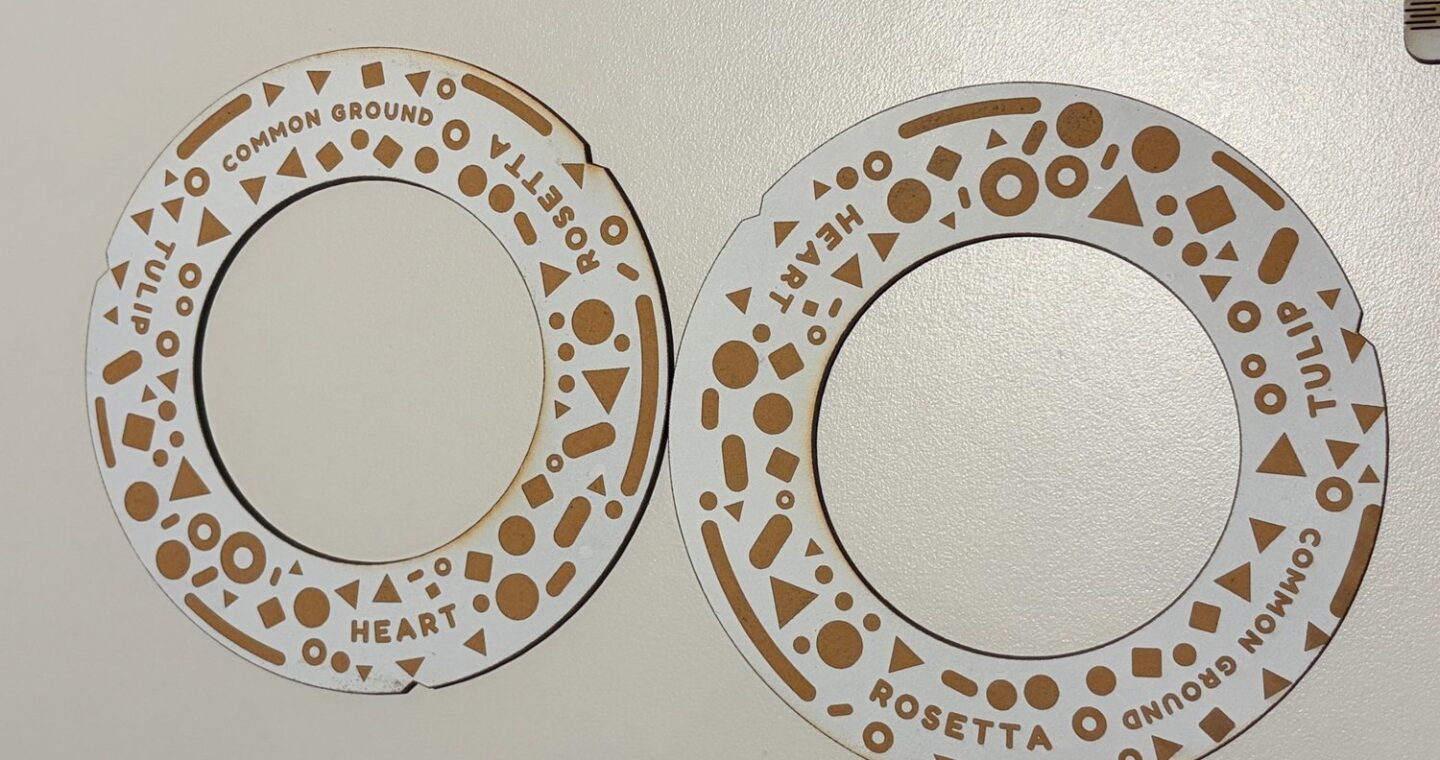
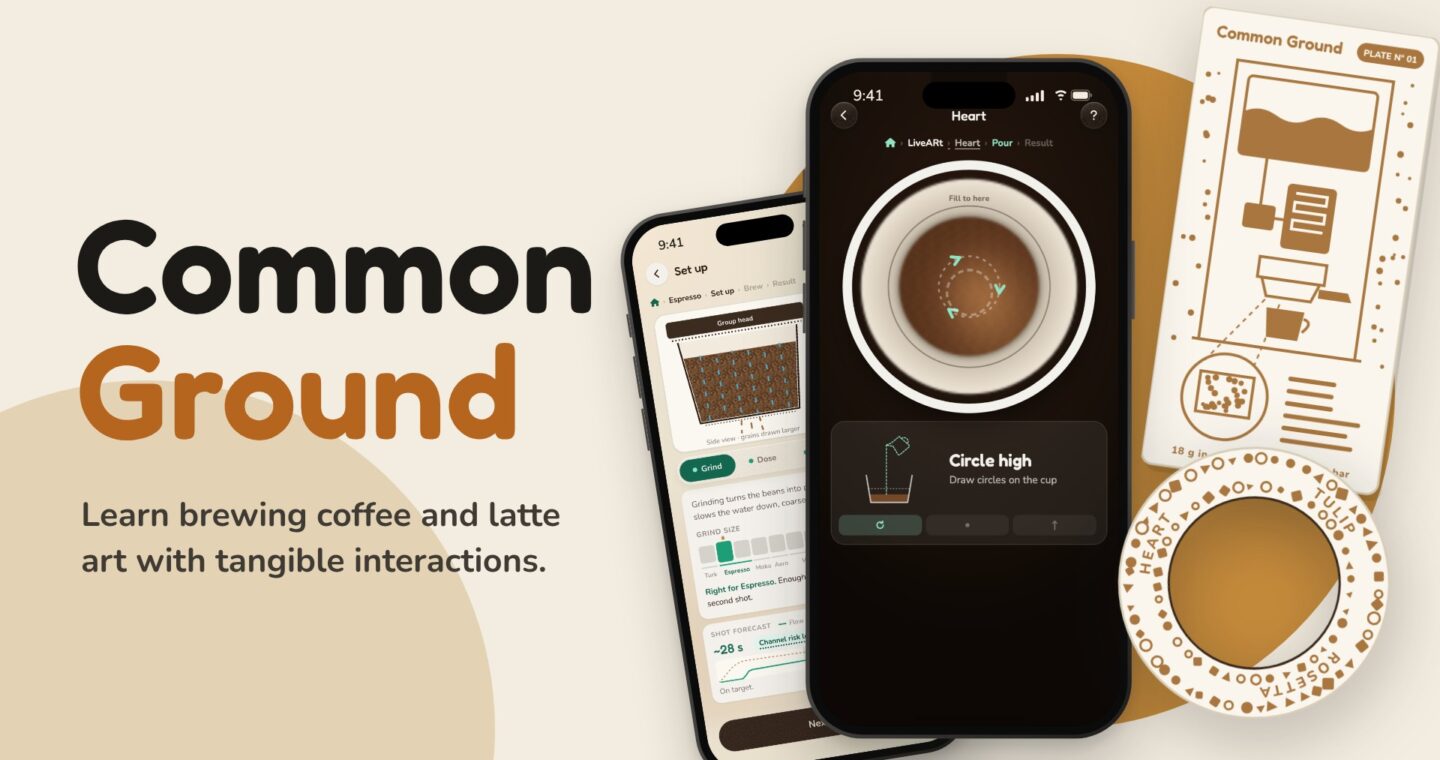
Two ways to practise. The Brew Assistant feature helps you with coffee extraction, shows what happens inside the machine and suggests one change in your coffee settings. LiveARt Coach turns your phone into the coffee cup and utilises a physical Cup Ring as the milk jug.
Who is it for
Most beginner home baristas practice coffee by pure guessing, and the only feedback they have is the taste of the cup. Common Ground helps them visualise all the complex information and simplifies it with visuals and shows why something went wrong, so every mistake becomes something to learn from.
The app is also a guidance benchmark for more professional baristas and coffee experts, as they can use this information as a guideline for their coffee routine and improve their workflow even more.
HOw it works
Choose the Brew Assistant or LiveARt Coach feature for your coffee routine.
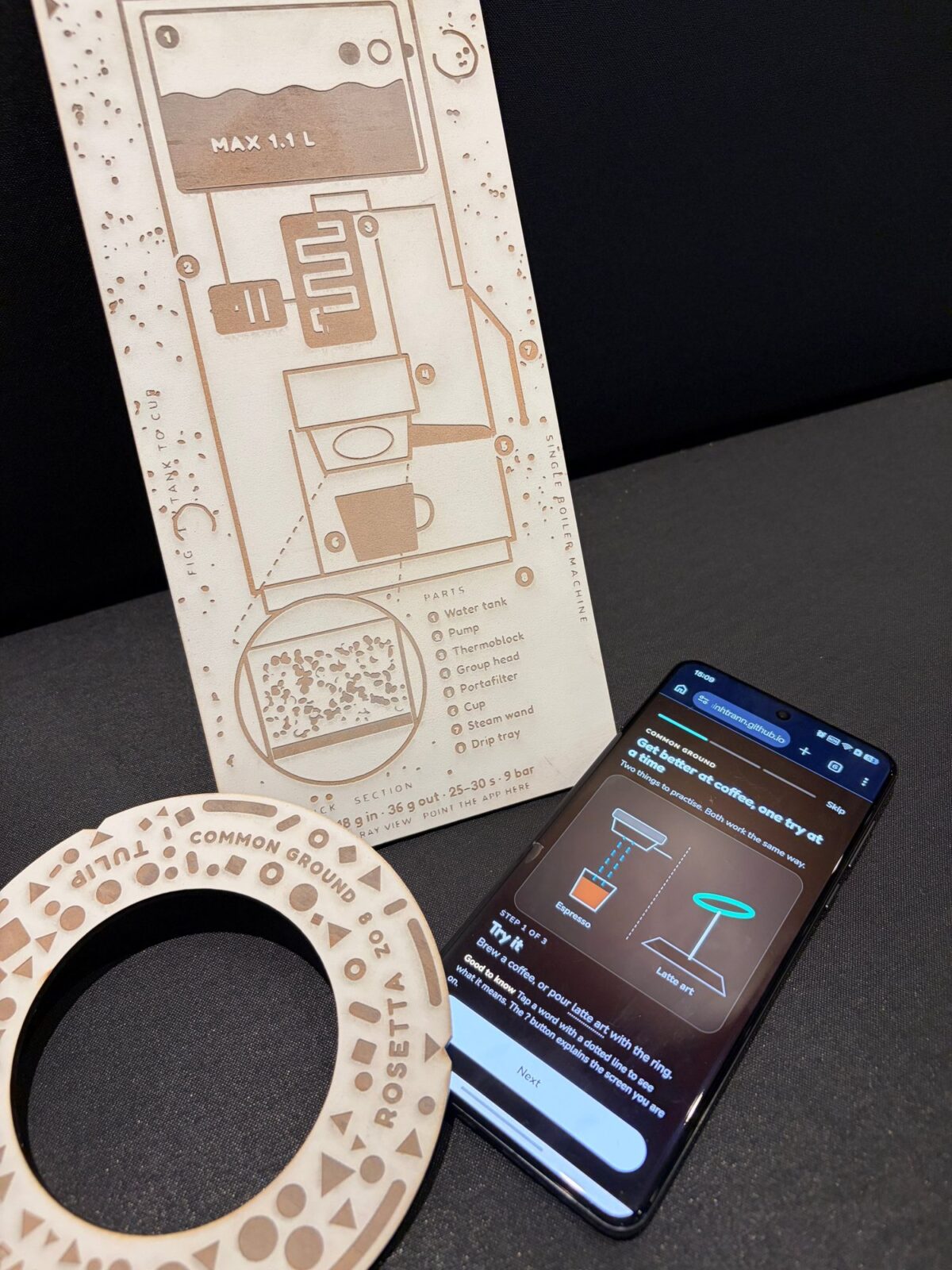
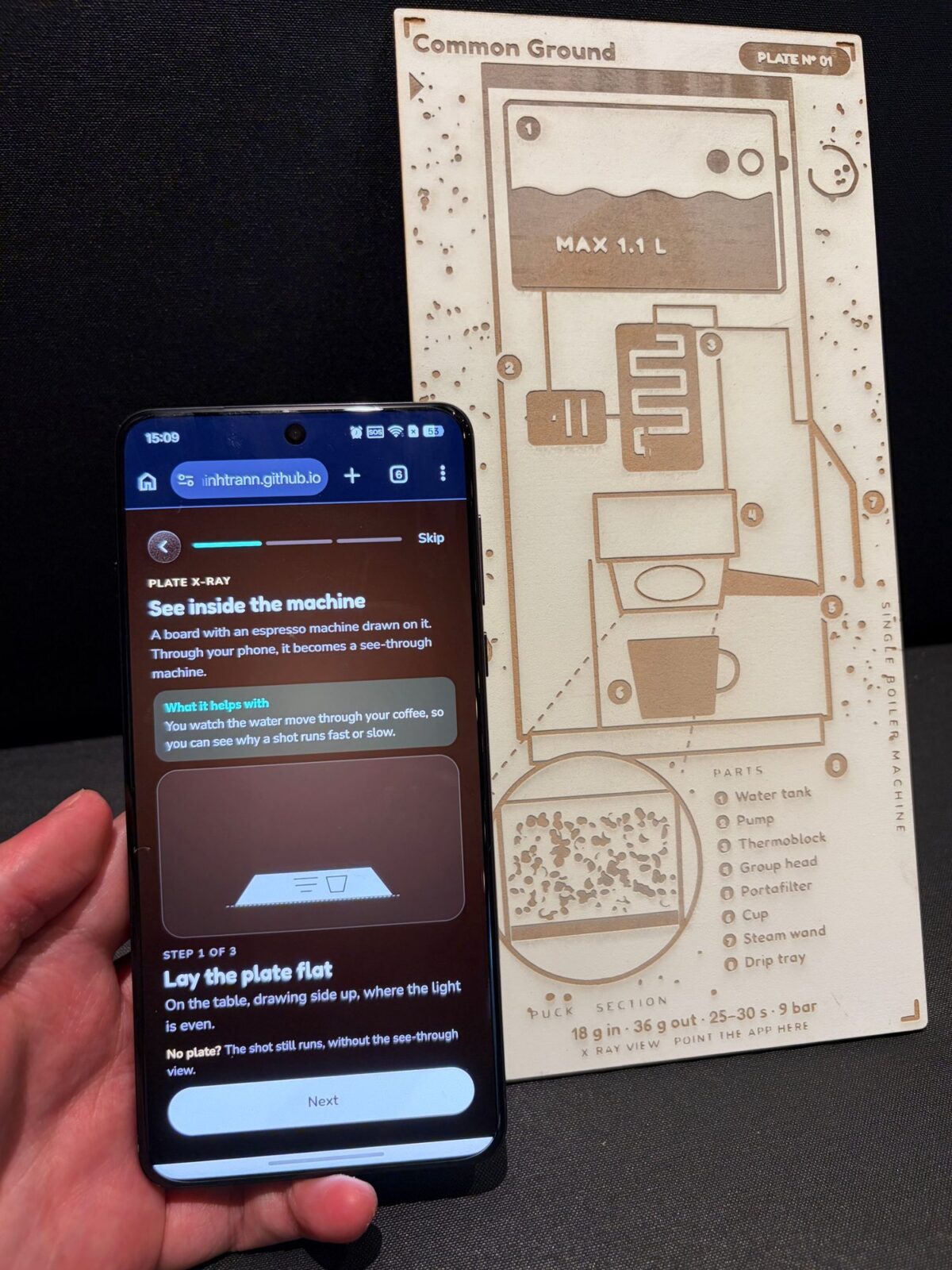
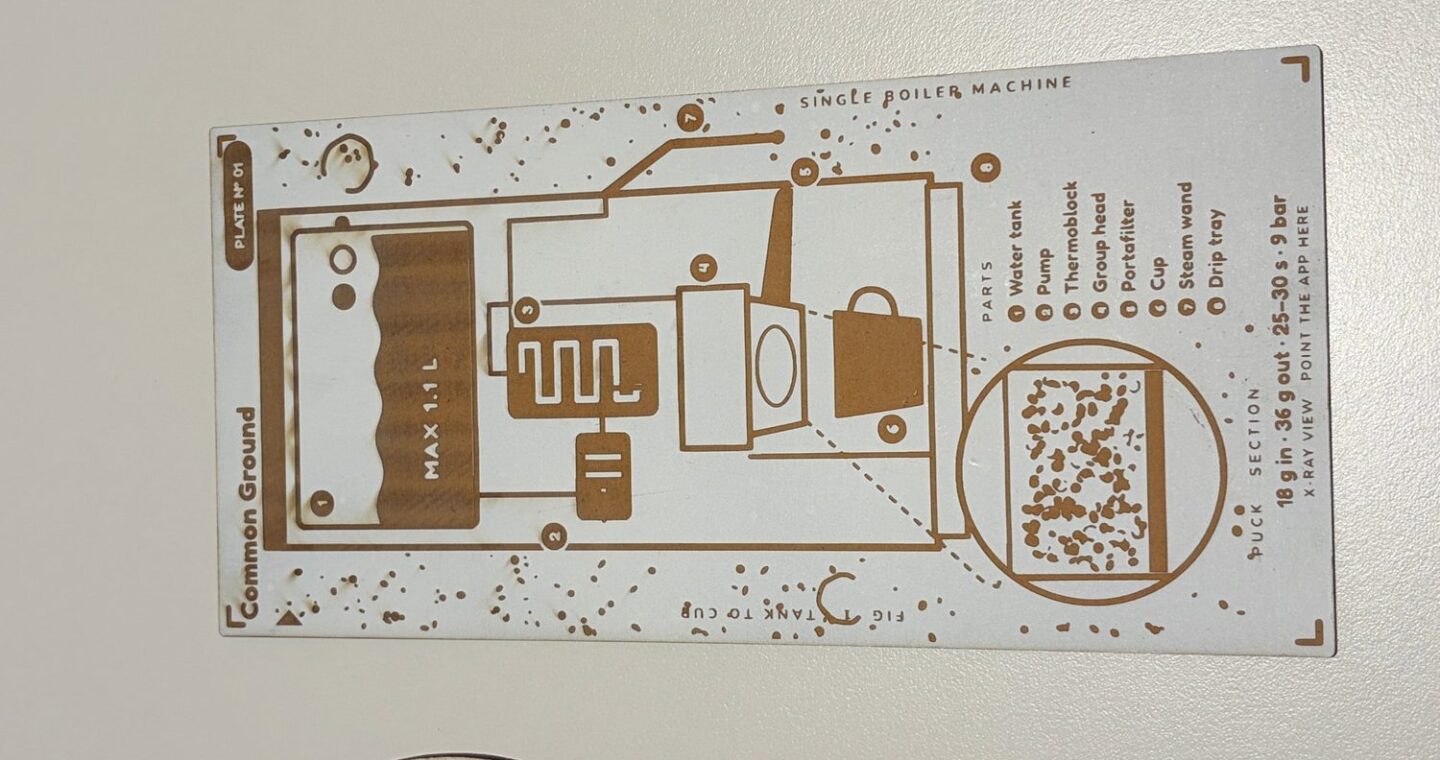
Brew: Set up your coffee settings, what type of coffee you are making, your grind and dose… then point the phone at the Plate X-Ray physical component to watch the water move through the coffee inside your machine. The result tells you how far off you were from your desired and suggested result and tells you one thing to change in your settings.
LiveARt: Lay the phone flat or hold it and hold the Cup Ring above it to start your practice. Move, tilt, lift and wiggle the ring to practice your latte art pour unlimited.
How might we
How might we help someone reproduce and understand a great cup of coffee, so every cup gets better than the last?
early design stages
Making the physical interaction components
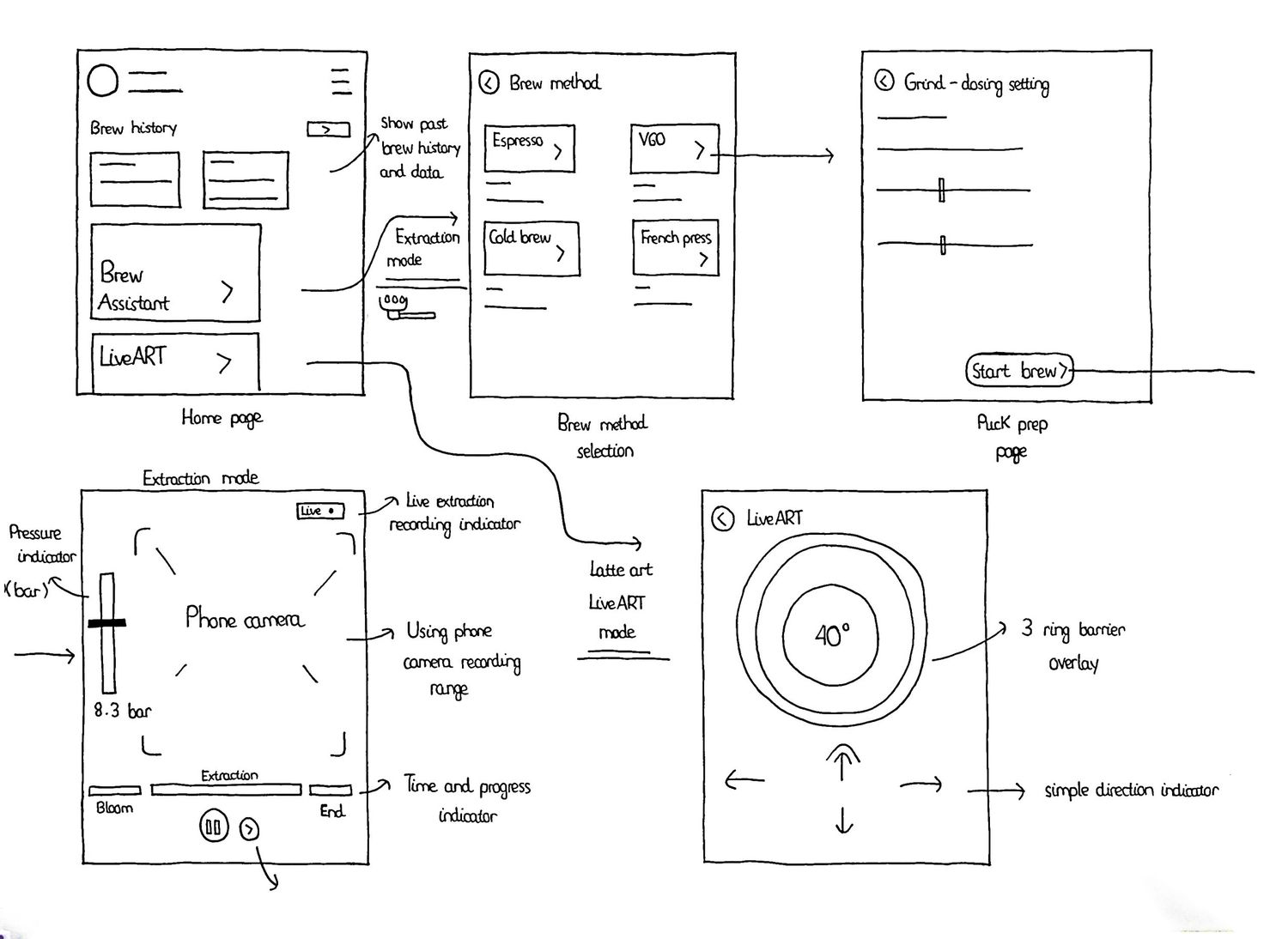
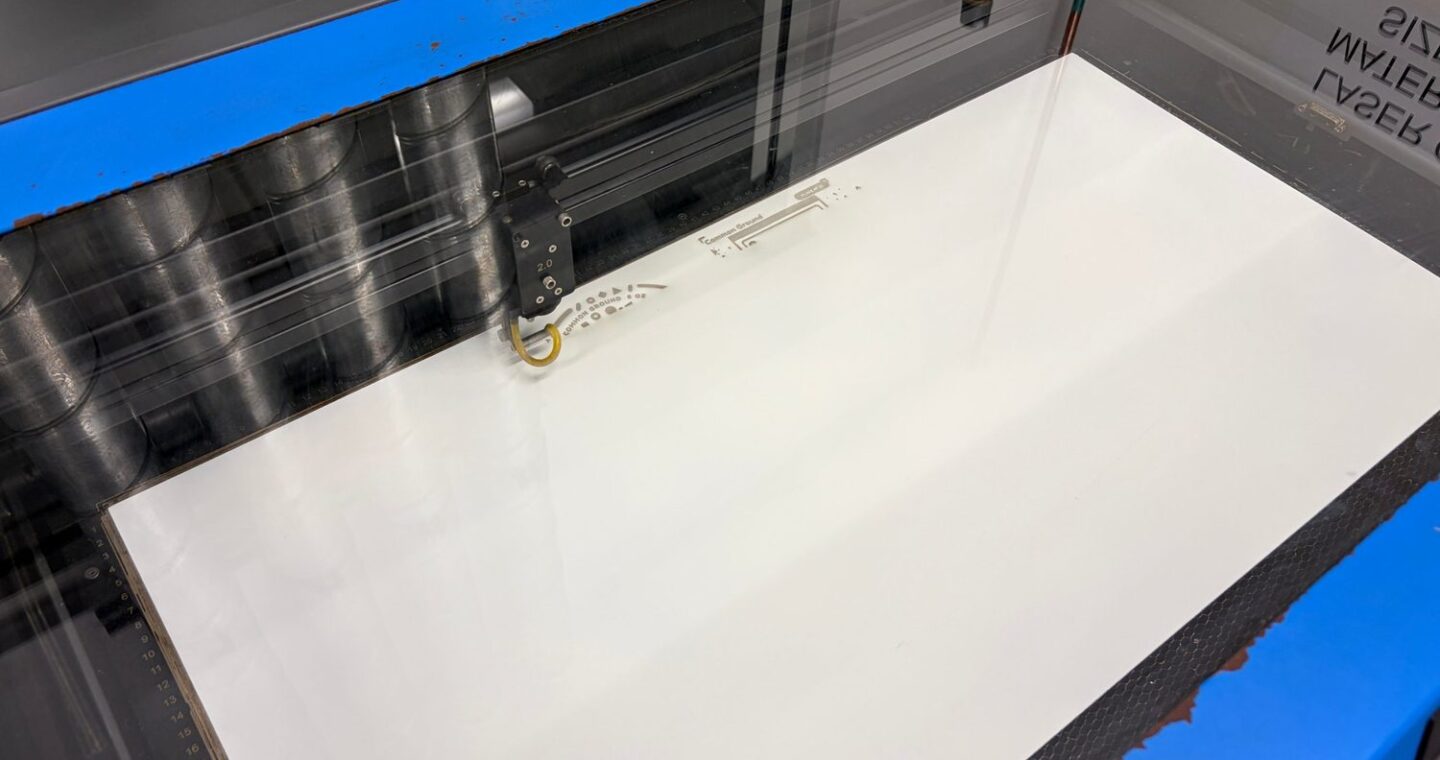
The design process began with research into how people learn coffee at home and why recipes and videos stop helping once they are at the machine. These insights were translated into early sketches and paper prototypes, followed by laser-cut props and experiments with AR tracking through the phone camera. Through iterative prototyping and testing with different people, the experience developed towards fewer screens, a simpler interaction flow, shorter explanations placed on each step, and a simpler physical model where the phone becomes the cup and the ring becomes the milk jug. The final approach lets people practise each step with their hands, see what happened, and try again with one change.
Design response